 COHIMA
Your game. One system.
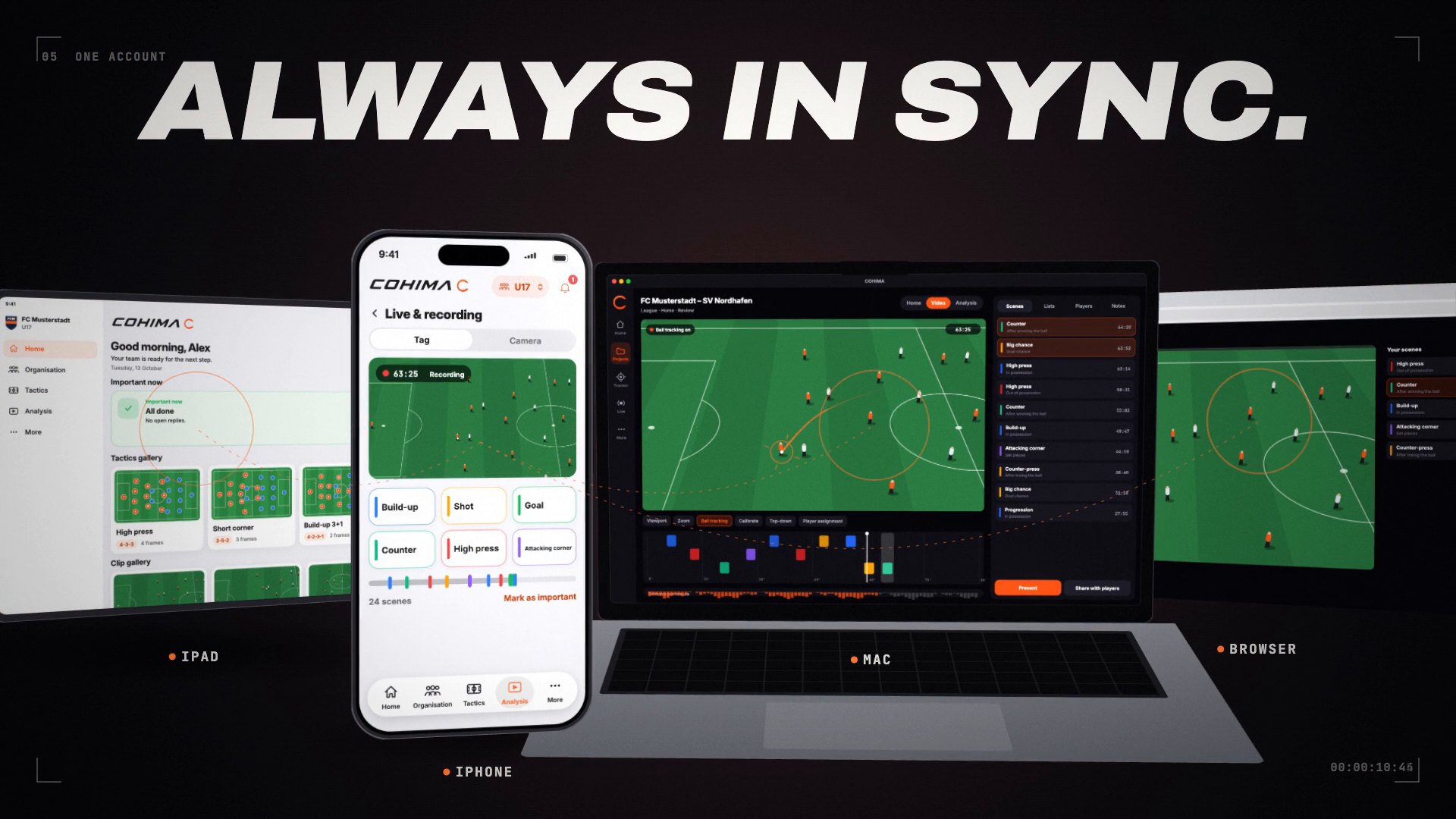
Events and replies, training, matchday and live tagging in the COHIMA app for iPhone and iPad. With Pro, you analyse full matches on the Mac and in the browser.
Eight clips. The whole picture.
-
OrganisationEvents, replies and team chat in one place. -
TacticsMoves as an animation on the tactics board. -
MatchdayLine-up, substitution plan and set pieces as a checklist. -
TrainingSessions from the drill library, weekly plans as templates, as a PDF. -
Analysis on the MacBall tracking, TV camera and running data. -
PresentA presenter view and a screen for the audience. -
For playersShared matches for 7 days at cohima.app/spiele. -
One accountiPhone, iPad, Mac and browser – always in sync.
Organisation, training and analysis. Three apps, one account – from the touchline to the dressing room.
The COHIMA apps
One brand. Three apps. One account.
The COHIMA app for iPhone and iPad, COHIMA Analyze Desktop on the Mac and Analyze Web in the browser – each app for its place, all with the same data.
Team & tactics
COHIMAiPhone & iPad
The app for the whole team.
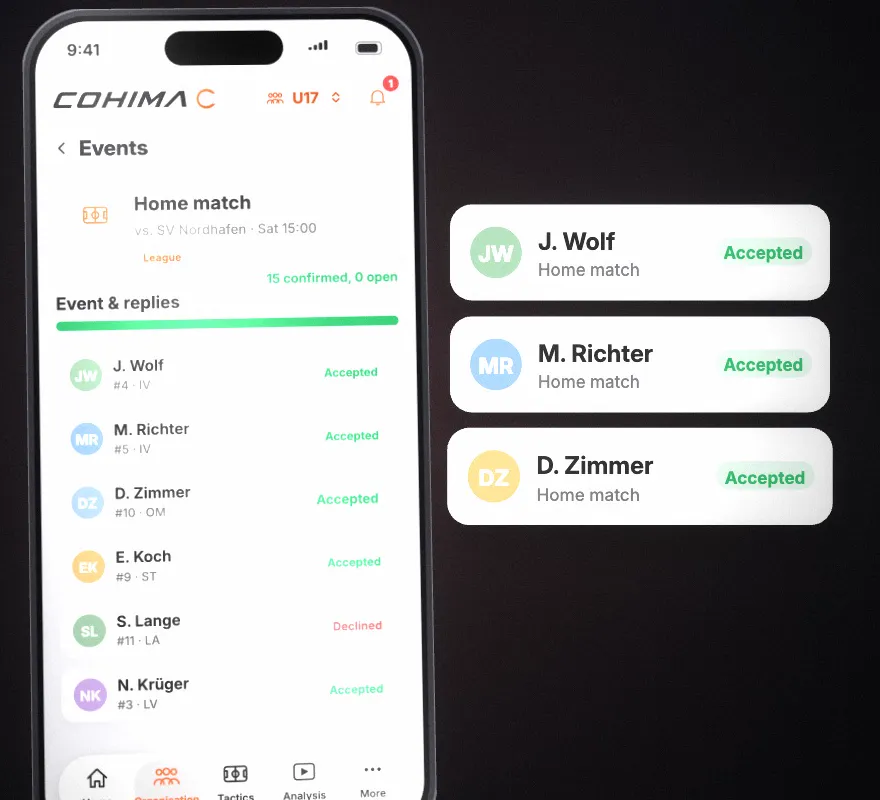
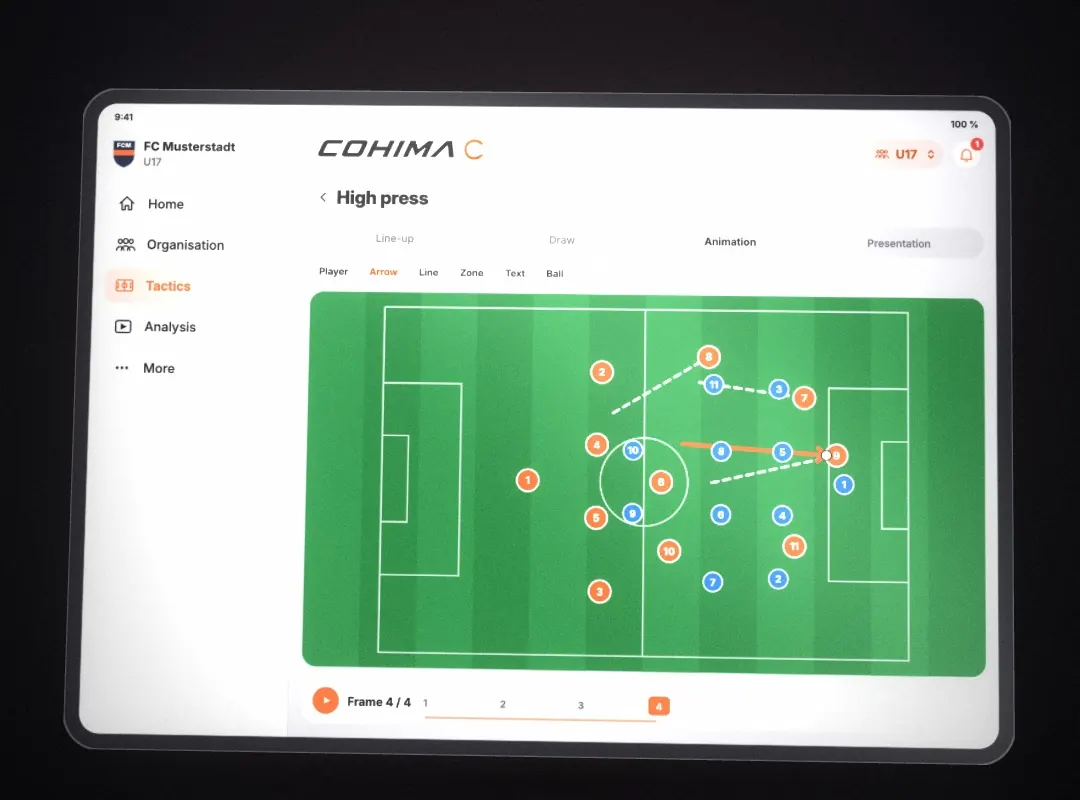
On the touchline on the iPhone, big in the dressing room on the iPad. Coaches plan and coach, players see what concerns them.
-
Organisation & team
Events, replies, team chat and squad in one place. You see who is still missing.
-
Training
Sessions from the drill library, your own drills, weekly plans as templates – as a PDF for your staff.
-
Tactics & matchday
Moves as an animation on the tactics board. Line-up, substitution plan and set pieces as a checklist, then the review.
-
Live tagging
Tag scenes from the touchline with one tap. With a Reolink camera you follow the match live on the iPad and tag scenes – for your half-time talk.
For coaches, staff and players.
Coming soon to the App StoreAnalysis
COHIMA Analyze DesktopMac
The whole match at a glance.
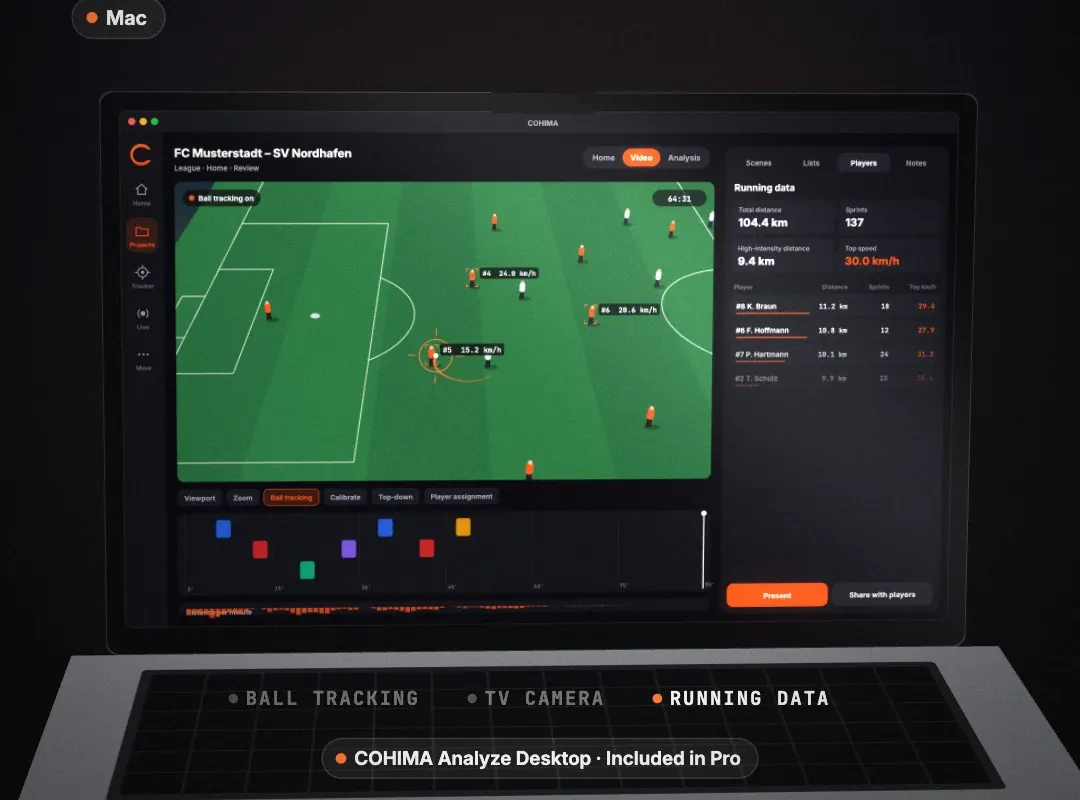
Video analysis of full matches on the big screen – with the same scenes as in the app.
-
Ball tracking & TV camera
A panorama recording becomes a TV picture that follows play.
-
Running data per player
Total distance, sprints and top speed – calculated from the panorama recording.
-
Scene lists & presenting
Scene lists with chapters and notes. In the dressing room you run the presenter view while the team watches the projector.
-
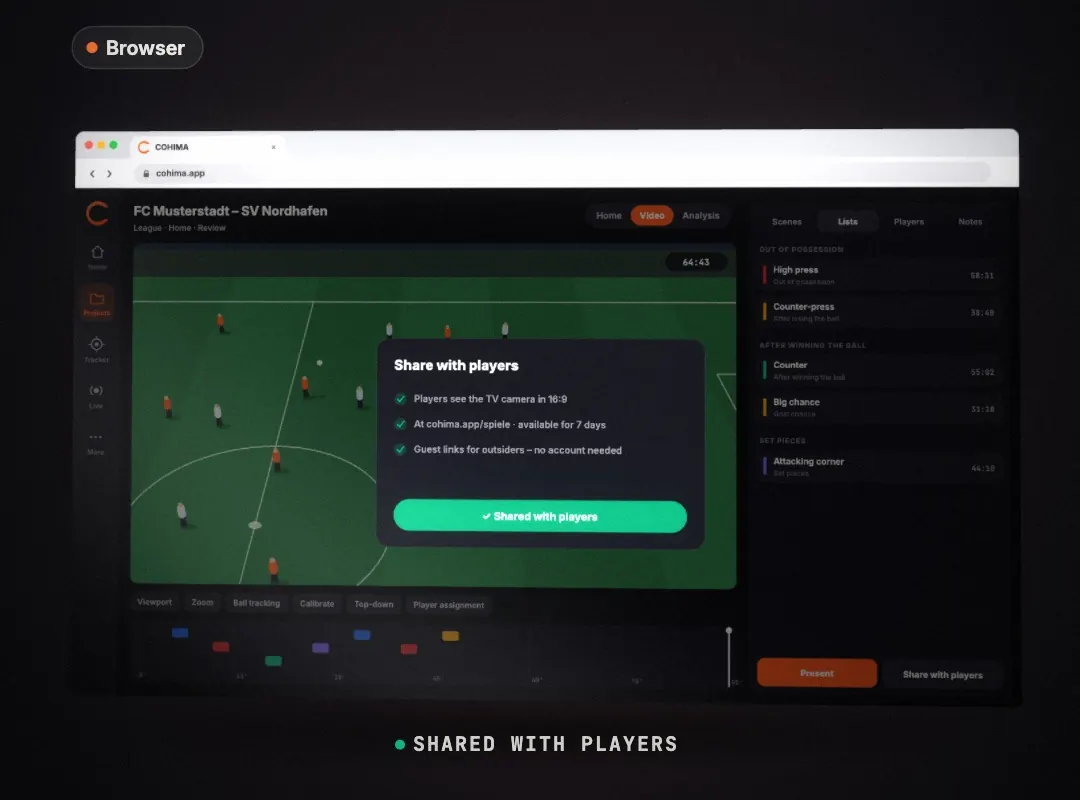
Share with players
Your players watch the match for 7 days at cohima.app/spiele in the TV camera. Guest links for outsiders need no account and show the panorama recording.2
Included in Pro · 2 seats for Mac and browser4
COHIMA Analyze Desktop calculates ball tracking, TV camera and running data on capable Macs.
Included in Pro · coming soonIn the browser
Analyze WebBrowser
Your analysis in the browser.
The same projects as on the Mac – nothing to install.
-
The same projects
Match videos, scenes and lists from the Mac, right in the browser.
-
Watch & tag scenes
Play the video and set scenes – they appear on the Mac and the iPhone too.
-
Present
The presenter view runs in the browser too; the audience window goes on the projector.
-
Player portal
Players sign in at cohima.app/spiele and see the matches you shared.
For coaches and staff · included in Pro
Included in Pro · coming soonIn sync
Every device. Always in sync.
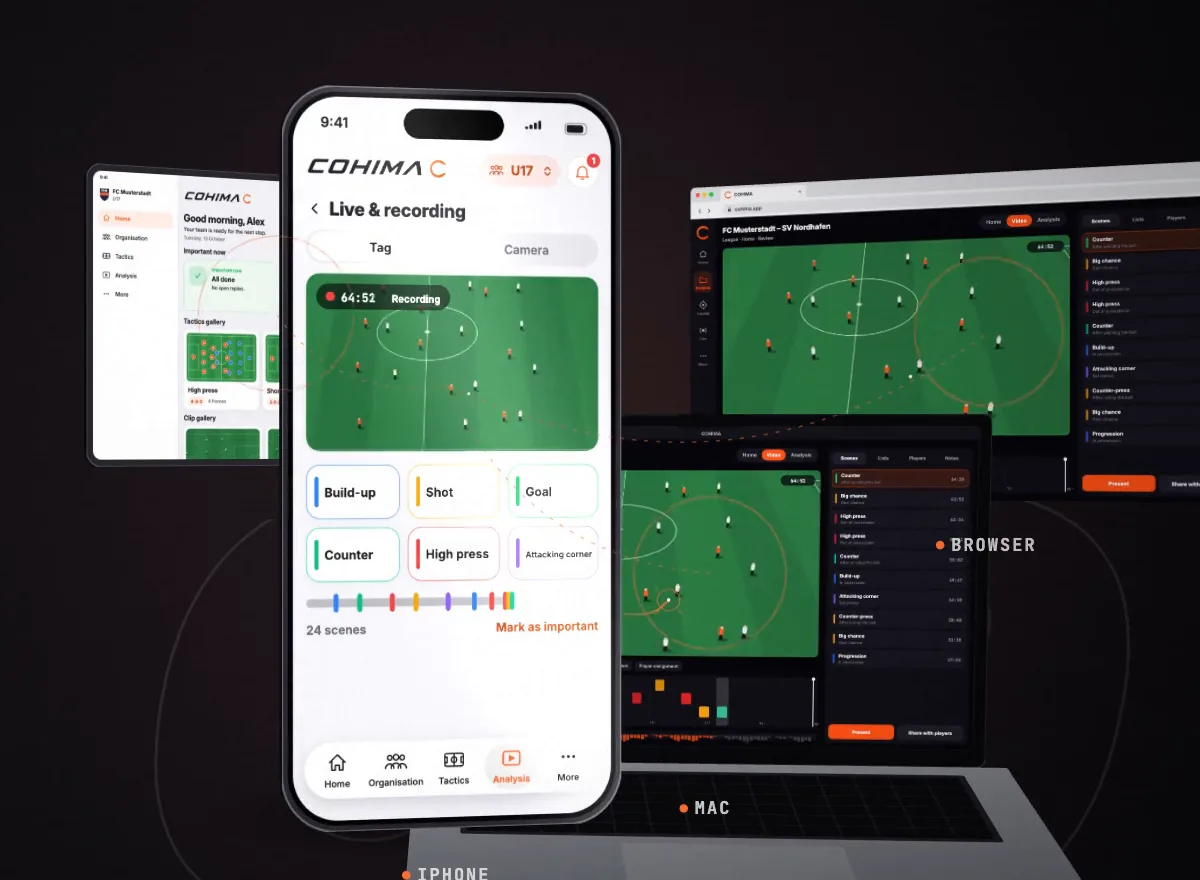
What you tag on the iPhone appears on the Mac and in the browser. Team data syncs automatically.
iPhone
Replies, team chat and live tagging – always with you.
iPad
Tactics board, training and matchday on a big display.
Mac
Ball tracking, TV camera and running data.
Browser
The same projects, nothing to install – plus the player portal.
One account
The same login in the app, on the Mac and in the browser.
No exporting
Scenes, notes and plans reach your other devices – no USB stick, no sending files.
No signal at the pitch
The app saves live tags, training sessions and tactics on the device first. They sync as soon as you’re back online.3
A matchday with COHIMA
Before. Live. After.
Each app does its part. They all work with the same data.
-
01
iPhone & iPad
Prepare
Check replies, set the line-up and substitution plan, tick off set pieces.
-
02
iPhone & iPad
Tag live
Tag scenes with one tap. With a Reolink camera you follow the match live on the iPad – for your half-time talk.
-
03
Mac · Browser
Analyse
Review scenes; on capable Macs also ball tracking, TV camera and running data.
-
04
Mac · Browser · App
Share
Present in the dressing room, share the match with the team for 7 days, send clips to individual players.
Explainer
COHIMA in 78 seconds.
From the group chat to the dressing room: organisation, tactics, matchday, training, live tagging, analysis on the Mac, presenting and the player portal.
Works without sound – everything is on screen.
Plans
Which plan fits your team?
Start for free. Coach adds all the planning. Pro adds the Mac and the browser.
-
Free
Free for your whole team
€01
for your whole team
- Events, replies & team chat
- Squad & invitations
- Opponent analysis & line-up
- 8 sessions per month, 15 custom drills
- 5 tactics, 2 analysis projects
- 2 coach seats
Coming soon to the App Store
-
Coach
All the planning
€79.991
per team per year
or €8.99 per month
1 month free with annual plans
- Unlimited sessions, season planning & weekly templates
- Tactics with animation
- Full matchday: match plan, set pieces, substitutions, review
- Live tagging & recording
- Clips for players · PDF export
- 5 coach seats
Subscriptions coming soon
-
Recommended
Pro
Everything, plus Mac & browser
€149.991
per team per year
or €16.99 per month
1 month free with annual plans
- Everything in Coach
- COHIMA Analyze Desktop + Analyze Web (2 seats)
- Ball tracking, TV camera & running data
- xG & heatmaps
- Guest links & more room for video
- 15 coach seats
Subscriptions coming soon
Why COHIMA
Made for coaches who’d rather be on the pitch.
Who’s coming? You’ll know.
Events with replies and team chat in one place. COHIMA shows who hasn’t answered yet – no counting heads in the group chat.
Plan training, don’t patch it together.
Sessions from your drill library, weekly plans as templates, ready as a PDF for your staff.
Matchday with a plan.
Line-up, substitution plan and set pieces in one checklist. Then the review.
Players see what concerns them.
Events, chat and their clips in the app, shared matches in the browser.
-
Every squad with its own coaching staff.
Roles for coaches, staff and players, fixture import from fussball.de. Several squads? We’ll help you get started.
COHIMA for clubs
Frequently asked
Good to know.
When does it start?
The COHIMA app is coming soon to the App Store for iPhone and iPad. COHIMA Analyze Desktop and Analyze Web are included in Pro; subscriptions are coming soon.
Which app do I need for what?
The COHIMA app on iPhone and iPad is for the whole team: organisation, training, tactics, matchday and live tagging. COHIMA Analyze Desktop on the Mac is for video analysis of full matches, with ball tracking, TV camera and running data. Analyze Web brings the same projects to the browser. All three use the same account.
What does COHIMA cost?
Free costs nothing. Coach is €8.99 per month or €79.99 per year, Pro €16.99 per month or €149.99 per year – including 2 seats for COHIMA Analyze Desktop and Analyze Web. Annual plans start with a free month. One subscription covers one team; players never pay. Subscriptions are coming soon.
What’s included in the free plan?
Events, replies, team chat, squad and invitations without limits, 2 coach seats. Plus a first taste of planning: 8 training sessions per month, 15 custom drills, 5 tactics and 2 analysis projects. Live tagging and the full matchday are part of Coach.
Do I need a separate subscription for the Mac?
No. COHIMA Analyze Desktop and Analyze Web are included in Pro, with 2 seats – on the Mac or in the browser. You manage your subscription in the COHIMA app on iPhone or iPad. Analyze Desktop calculates ball tracking, TV camera and running data on capable Macs.
Which camera do I need?
None for live tagging – you can tag scenes without a camera. With a Reolink camera you can also follow the match live on the iPad and tag scenes, for example for your half-time talk. Ball tracking, TV camera and running data on the Mac need a panorama recording.
Does COHIMA work without internet at the pitch?
For what matters at the pitch, yes: the app saves live tags, training sessions and tactics on the device first, and the camera records without internet. Everything syncs as soon as you’re back online.
How do my players join?
You send players a personal invitation or the team code. They open the link and they’re in the team. They watch shared matches with the same account at cohima.app/spiele.
What do my players see?
Events with replies, the team chat, released tactics, their clips and their development – depending on the team’s plan. Planning stays with the staff. Players never pay.
What happens to our data?
COHIMA doesn’t use tracking for advertising and builds no cross-app advertising profiles. All details are in the privacy policy.
Still have a question? Contact our support.
Ready for the next matchday?
The COHIMA app is coming soon to the App Store. Until then, the explainer shows how it all fits together.